Epson Event Manager 2026 Update: Windows 11 winget Install & macOS Sequoia Guide
Updated November 2026 · Covers Windows 11, ARM64, winget, and macOS Sequoia / Sonoma
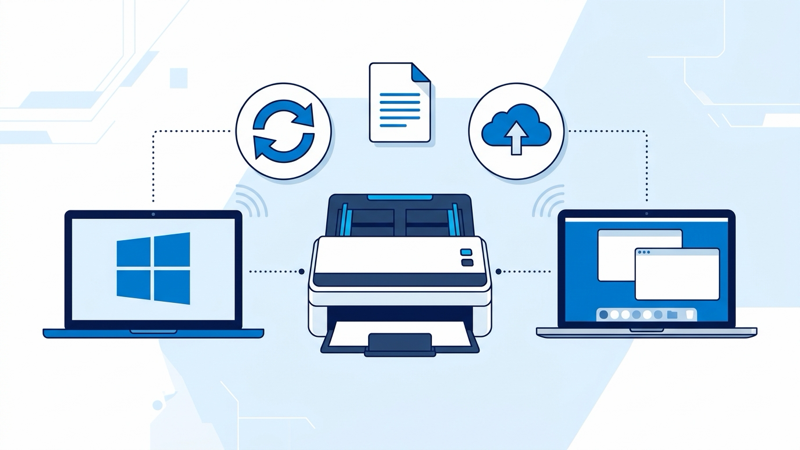
If you are setting up an Epson EcoTank, WorkForce, Stylus, or Perfection scanner in 2026, you may be wondering whether a brand-new version of Epson Event Manager has been released for the latest Windows 11 and macOS builds. Here is the current status of the utility, how to deploy it quickly on Windows 11, and what Epson recommends on modern macOS Sequoia and Sonoma systems.
Current Version Status in 2026
Epson Event Manager v3.11.82 remains the latest stable release for Windows, while v2.51.94 continues to serve supported macOS environments. Rather than launching a major new Event Manager branch, Epson distributes routine model-compatibility updates alongside Epson Scan 2 and Epson Software Updater.
- Windows: v3.11.82 (
EventManager_31182_31_S.exe, 30.17 MB) — Download for Windows - macOS: v2.51.94 (
EM_25194_22.dmg, 32.00 MB) — Download for Mac
Windows 11 Compatibility & Fast winget Installation
Epson Event Manager v3.11.82 is fully compatible with Windows 11 (including 24H2/25H2 updates) and runs on Windows 11 ARM64 devices via Windows emulation. In addition to the standard graphical installer, IT admins and power users can install or update it directly from Windows Terminal using the official Windows Package Manager:
winget install --id EPSON.EventManagerAfter installation, make sure your scanner driver (Epson Scan or Epson Scan 2) is also installed so hardware buttons—such as Scan to PDF, Scan to Email, and Scan to PC—register immediately. If your Wi-Fi scanner fails to trigger button events after a Windows update, check our network connection troubleshooting guide.
macOS Sequoia & Sonoma: Event Manager vs. Apple Image Capture
On newer consumer printer and scanner models, Epson has gradually shifted macOS users away from legacy Event Manager packages toward Apple's built-in scanning stack paired with the Epson ICA Scanner Driver:
- When Event Manager v2.51.94 is supported: Install the package from our Mac download page and grant both Accessibility and Full Disk Access under System Settings > Privacy & Security. See our macOS Sequoia & Sonoma permissions guide for exact steps.
- When your model uses ICA / Image Capture: If Epson's support page for your specific model lists only the ICA driver for macOS Sequoia (15) or Sonoma (14), install the ICA Scanner Driver and scan directly through Apple Image Capture, Preview, or Epson Scan 2.
Check Your Specific Epson Model
Button mapping and network scan support vary between EcoTank, WorkForce Pro, Artisan, and legacy Stylus models. Browse our Supported Epson Printers directory to view model-specific connectivity and Event Manager setup notes.
winget install -e --id EPSON.EventManager
winget upgrade -e --id EPSON.EventManager